
logotype
  • Home
  • News
  • Product dan Services
    • Zimbra Mail Server
      • Excellent Managed Services Email
      • Lisensi Zimbra NE
      • Support dan Maintenance
      • MX Backup & ASAV
      • SMTP Relay
    • Proxmox
      • Proxmox Virtual Environment
      • Proxmox Mail Gateway
      • Proxmox Backup Server
    • XCP-ng
    • Red Hat Enterprise Linux
    • Ubuntu Pro
    • Nakivo Backup & Recovery
    • Vinchin Backup & Recovery
    • Lisensi
      • Proxmox Mail Gateway
      • Lisensi Zimbra Network Edition
      • Lisensi Nakivo Backup & Recovery
      • Subscription Zoom
    • Buku Training Mandiri
      • Buku Training Mandiri
      • Ebook Training Mandiri
    • Cloud & Hosting
      • Excellent Managed Services Email Server
      • MX Backup/Anti Spam & Anti Virus
      • SMTP Relay & Mail Gateway
      • Excellent Mail Hosing
    • SSL Sertifikat
  • Training
  • Insight
  • About Us
  • Contacts
logotype
logotype
  • Home
  • News
  • Product dan Services
    • Zimbra Mail Server
      • Excellent Managed Services Email
      • Lisensi Zimbra NE
      • Support dan Maintenance
      • MX Backup & ASAV
      • SMTP Relay
    • Proxmox
      • Proxmox Virtual Environment
      • Proxmox Mail Gateway
      • Proxmox Backup Server
    • XCP-ng
    • Red Hat Enterprise Linux
    • Ubuntu Pro
    • Nakivo Backup & Recovery
    • Vinchin Backup & Recovery
    • Lisensi
      • Proxmox Mail Gateway
      • Lisensi Zimbra Network Edition
      • Lisensi Nakivo Backup & Recovery
      • Subscription Zoom
    • Buku Training Mandiri
      • Buku Training Mandiri
      • Ebook Training Mandiri
    • Cloud & Hosting
      • Excellent Managed Services Email Server
      • MX Backup/Anti Spam & Anti Virus
      • SMTP Relay & Mail Gateway
      • Excellent Mail Hosing
    • SSL Sertifikat
  • Training
  • Insight
  • About Us
  • Contacts
logotype
  • Home
  • News
  • Product dan Services
    • Zimbra Mail Server
      • Excellent Managed Services Email
      • Lisensi Zimbra NE
      • Support dan Maintenance
      • MX Backup & ASAV
      • SMTP Relay
    • Proxmox
      • Proxmox Virtual Environment
      • Proxmox Mail Gateway
      • Proxmox Backup Server
    • XCP-ng
    • Red Hat Enterprise Linux
    • Ubuntu Pro
    • Nakivo Backup & Recovery
    • Vinchin Backup & Recovery
    • Lisensi
      • Proxmox Mail Gateway
      • Lisensi Zimbra Network Edition
      • Lisensi Nakivo Backup & Recovery
      • Subscription Zoom
    • Buku Training Mandiri
      • Buku Training Mandiri
      • Ebook Training Mandiri
    • Cloud & Hosting
      • Excellent Managed Services Email Server
      • MX Backup/Anti Spam & Anti Virus
      • SMTP Relay & Mail Gateway
      • Excellent Mail Hosing
    • SSL Sertifikat
  • Training
  • Insight
  • About Us
  • Contacts
Blog Post
Perposteran Buat Blog Post(24)
BlogBlog & ResourcesProduct & ServicesSSL

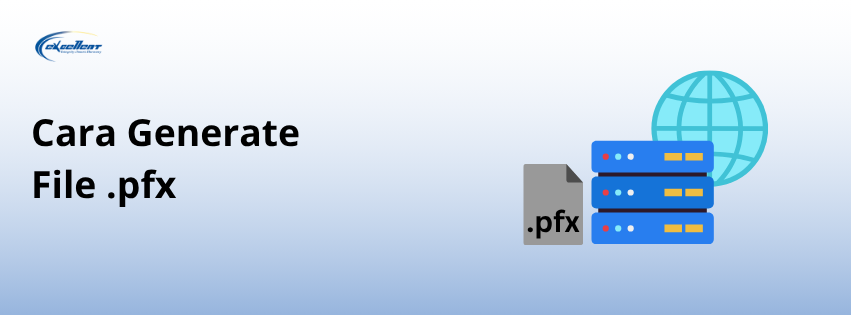
Cara Membuat File .pfx

July 21, 2025by Zaidan

Microsoft Internet Information Services adalah salah satu web server platform. Untuk melakukan instalasi SSL pada Microsoft IIS, file SSL yang digunakan adalah .pfx atau .p12.

Apabila belum memiliki file .pfx atau .p12 (misalnya hanya memiliki file .crt dan .key), maka file .pfx atau .p12 perlu disiapkan terlebih dahulu.

Apa Itu File .pfx?

File .pfx (Personal Information Exchange) adalah format file yang berisi gabungan dari:

  • Private key (.key)
  • Sertifikat SSL (.crt)
  • CA bundle (.crt)

File .pfx juga biasanya disertai password dan digunakan untuk instalasi SSL di Microsoft IIS.

Proses Generate File .pfx

Prosesnya bisa menggunakan bantuan tool seperti OpenSSL untuk menggabungkan tiga file tersebut (private key, sertifikat SSL, dan CA bundle). OpenSSL bisa dijalankan pada sistem berbasis Linux dan juga WSL (Windows Subsystem for Linux).

Berikut sintaks yang digunakan:

openssl pkcs12 -export -out SSL.pfx -inkey private.key -in
SSL.crt -certfile ca_bundle.crt

Penjelasan Parameter

  • pkcs12: menspesifikasikan format arsip yang akan digunakan (PKCS#12)
  • -export -out [filename].pfx: menspesifikasikan bahwa file akan diekspor sebagai file .pfx
  • -inkey private.key: file private key yang akan digunakan
  • -in [filename].crt: file sertifikat SSL yang akan digunakan
  • -certfile [filename].crt: file CA bundle yang akan digunakan

Saat menjalankan perintah tersebut, akan ada prompt untuk membuat password dari file .pfx yang akan dibuat. Password tersebut diperlukan untuk proses impor file .pfx ke Microsoft IIS.

Verifikasi File .pfx

Untuk memastikan bahwa file .pfx yang dihasilkan sudah sesuai, dapat menggunakan perintah berikut:

openssl pkcs12 -in [filename].pfx -nodes -info

Perintah tersebut akan menampilkan informasi detail dari file .pfx seperti common name (CN) dan struktur certificate chain.

Penutup

Dengan langkah-langkah yang sudah disebutkan tadi, Anda dapat generate file .pfx dari file-file SSL. Langkah ini perlu dilakukan agar bisa melakukan instalasi SSL pada Microsoft IIS.

Apabila Anda memiliki pertanyaan terkait produk SSL, Anda dapat menghubungi tim sales kami melalui sales@excellent.co.id.

AboutMuhammad Zaidan
IT Support for PT Excellent Infotama Kreasindo | Certified Nakivo Technical & Sales Professional | In charge of Excellent Managed Services (EMS), Proxmox and Nakivo
Prev

Mengenal HAProxy: Solusi Load Balancer untuk Infrastruktur Sistem Anda

Next

Instalasi Microsoft IIS di Windows Server 2019

Related Posts

BlogBlog & Resources
March 17, 2016

Mundur Selangkah dan Maju Kembali – Bagian 1

Read more
ResourceVMWare
March 20, 2012

Tips Memindahkan Mesin Fisik ke Virtual Machine (P2V) Menggunakan VMWare Converter-Bagian 1

Read more
Zemanta Related Posts Thumbnail
EventScheduleTrainingVMWare
September 16, 2013

Training VMware vSphere Fundamental & Medium (High Availability), 26-27 Oktober 2013

Read more

Leave a Reply

Your email address will not be published. Required fields are marked *

Search
Recent Post
  • Zimbra Daffodil 10.1.16 Rilis: Modern Web App Makin Cerdas, Backup Lebih Hemat Storage, dan Peningkatan Keamanan
  • Live Migration vs High Availability di XCP-ng: Perbedaan dan Skenario Penggunaan
  • Informasi untuk Pelanggan PT. Excellent Infotama Kreasindo : Penyesuaian Kebijakan Masa Berlaku Sertifikat SSL/TLS Menuju Standar Keamanan Global
  • Excellent Infotama Kreasindo: Lingkungan Kerja yang Memberi Ruang untuk Bertumbuh
  • Segudang Benefit dari Dana Buffer: Ketika Kebijakan Berangkat dari Pengalaman
Categories
Archives
Featured image: Cara Membuat File .pfx
Get in Touch

KATEGORI

  • Home
  • Artikel
  • Jadwal
  • Event
  • Berita

LAYANAN

  • Zimbra Mail Server
  • Ubuntu
  • XCP-ng
  • Vinchin
  • ASAV
  • Proxmox
  • RHEL
  • Nakivo
  • SMTP Relay
  • SSL Certificate

KONTAK KAMI

PT. Excellent Infotama Kreasindo, Premier Serenity Blok J12, Jl. KH. Agus Salim No. 40E, Bekasi Jaya, Bekasi Timur, Bekasi 17112, Jawa Barat, Indonesia

TENTANG KAMI

PT. Excellent Infotama Kreasindo merupakan entitas bisnis yang fokus pada layanan komputerisasi seperti implementasi sistem, konsultasi, training/workshop, dan maintenance sistem, terutama migrasi dari sistem Windows ke Linux. more…