logotype
  • Home
  • News
  • Product dan Services
    • Zimbra Mail Server
      • Excellent Managed Services Email
      • Lisensi Zimbra NE
      • Support dan Maintenance
      • MX Backup & ASAV
      • SMTP Relay
    • Proxmox
      • Proxmox Virtual Environment
      • Proxmox Mail Gateway
      • Proxmox Backup Server
    • XCP-ng
    • Red Hat Enterprise Linux
    • Ubuntu Pro
    • Nakivo Backup & Recovery
    • Vinchin Backup & Recovery
    • Lisensi
      • Proxmox Mail Gateway
      • Lisensi Zimbra Network Edition
      • Lisensi Nakivo Backup & Recovery
      • Subscription Zoom
    • Buku Training Mandiri
      • Buku Training Mandiri
      • Ebook Training Mandiri
    • Cloud & Hosting
      • Excellent Managed Services Email Server
      • MX Backup/Anti Spam & Anti Virus
      • SMTP Relay & Mail Gateway
      • Excellent Mail Hosing
    • SSL Sertifikat
  • Training
  • Insight
  • About Us
  • Contacts
logotype
logotype
  • Home
  • News
  • Product dan Services
    • Zimbra Mail Server
      • Excellent Managed Services Email
      • Lisensi Zimbra NE
      • Support dan Maintenance
      • MX Backup & ASAV
      • SMTP Relay
    • Proxmox
      • Proxmox Virtual Environment
      • Proxmox Mail Gateway
      • Proxmox Backup Server
    • XCP-ng
    • Red Hat Enterprise Linux
    • Ubuntu Pro
    • Nakivo Backup & Recovery
    • Vinchin Backup & Recovery
    • Lisensi
      • Proxmox Mail Gateway
      • Lisensi Zimbra Network Edition
      • Lisensi Nakivo Backup & Recovery
      • Subscription Zoom
    • Buku Training Mandiri
      • Buku Training Mandiri
      • Ebook Training Mandiri
    • Cloud & Hosting
      • Excellent Managed Services Email Server
      • MX Backup/Anti Spam & Anti Virus
      • SMTP Relay & Mail Gateway
      • Excellent Mail Hosing
    • SSL Sertifikat
  • Training
  • Insight
  • About Us
  • Contacts
logotype
  • Home
  • News
  • Product dan Services
    • Zimbra Mail Server
      • Excellent Managed Services Email
      • Lisensi Zimbra NE
      • Support dan Maintenance
      • MX Backup & ASAV
      • SMTP Relay
    • Proxmox
      • Proxmox Virtual Environment
      • Proxmox Mail Gateway
      • Proxmox Backup Server
    • XCP-ng
    • Red Hat Enterprise Linux
    • Ubuntu Pro
    • Nakivo Backup & Recovery
    • Vinchin Backup & Recovery
    • Lisensi
      • Proxmox Mail Gateway
      • Lisensi Zimbra Network Edition
      • Lisensi Nakivo Backup & Recovery
      • Subscription Zoom
    • Buku Training Mandiri
      • Buku Training Mandiri
      • Ebook Training Mandiri
    • Cloud & Hosting
      • Excellent Managed Services Email Server
      • MX Backup/Anti Spam & Anti Virus
      • SMTP Relay & Mail Gateway
      • Excellent Mail Hosing
    • SSL Sertifikat
  • Training
  • Insight
  • About Us
  • Contacts
Blog Post
vmware
ScheduleTraining

Training VMware vSphere Fundamental & Medium (High Availability), 21 – 24 Maret 2015
February 24, 2015by Maryadi Arismunandar

vsphere

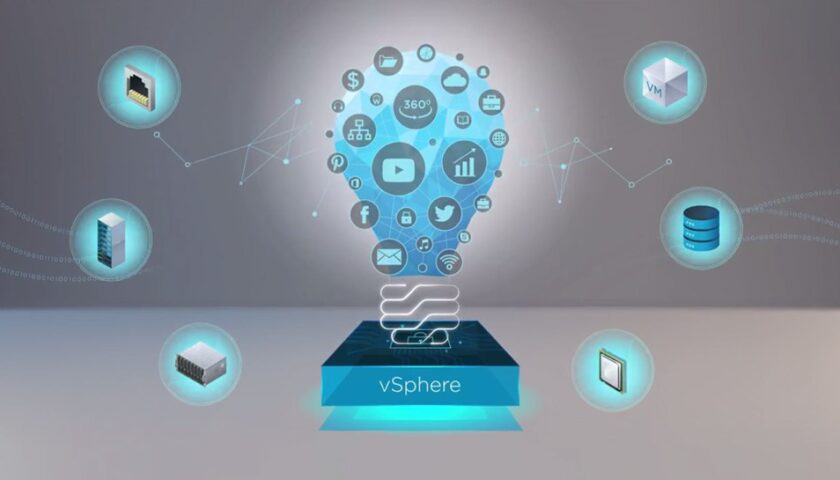
Training VMware vSphere Fundamental & Medium cocok bagi rekan-rekan yang baru hendak mempelajari VMware vSphere atau rekan-rekan yang pernah memakai produk VMware lain (VMware Workstation, VMware Server) atau produk virtualization lain (Xen, KVM, OpenVZ, Proxmox, Microsoft Hyper-V dan lain-lain). Training ini juga cocok bagi perusahaan/instansi yang berniat mengkonsolidasikan server dan data centernya menggunakan Virtualization Technology serta berniat melakukan deployment cloud computing.

Mau tahu alasan lainnya? Silakan baca artikel berikut : Training VMWare vSphere yang Murah namun Berkualitas

MATERI “TRAINING VMWARE VSPHERE FUNDAMENTAL & MEDIUM (HIGH AVAILABILITY)” :

  • Pengenalan VMware Virtualization
  • Keuntungan Penggunaan VMware vSphere
  • Perbedaan Versi & Model Lisensi
  • Tips Membangun Labs VMware vSphere
  • Instalasi & Konfigurasi vSphere ESXi Hypervisor
  • Penggunaan DCUI (Direct Console User Interface)
  • Aktivasi SSH, CLI & Manajemen Data Stores via DCUI
  • Instalasi VMware vSphere Client
  • Konfigurasi VMware vSphere Host
  • Konfigurasi VMware vSphere Networking
  • Manajemen VMware vSphere datastores
  • Pembuatan Virtual Machine (Standard, via OVF Template & Cloning)
  • Instalasi VMware tools untuk Windows & Linux
  • Instalasi & Konfigurasi vCenter Server (ISO & Appliance)
  • VMware vSphere Web Client & vSphere Client Integration Plugins
  • Snapshot & Opsi Backup Data
  • Service Level, Warning, Task & Event
  • Manajemen VMware vSphere Cluster
  • Shared Storage untuk NFS & iSCSI Share
  • Konfigurasi ESXi dengan iSCSI dan NFS
  • VMware vSphere HA (High Availability)
  • VMware vSphere DRS (Distributed Resources Scheduler)
  • Konfigurasi VMware vSphere® vMotion & Live Migration
  • Implementasi P2V (Physical to Virtual) Menggunakan VMware Converter
  • Backup & Restore Data VM (vSphere Data Protection/VDP)


TANGGAL & WAKTU PELAKSANAAN TRAINING

Hari/Tanggal : Sabtu – Selasa, 21 – 24 Maret 2015

Waktu : 09.00 WIB s/d 15.00 WIB

BIAYA TRAINING :

Umum : Rp. 3.000.000,-
Alumni Training Excellent : Disc 10%

Biaya training belum termasuk PPN 10%

Biaya training sudah termasuk : Sertifikat, Buku modul panduan, CD vSphere 5.5, DVD vCenter Server, DVD VDP, CD Appliance, snack & makan siang.

LOKASI TRAINING :

Excellent Training Center Emerald Spring
Ruko Emerald Spring No. 11
Jalan Baru Under Pass Duren Jaya
Bekasi Timur 17111 Jawa Barat Indonesia

Telp : 021-2210 2004, 0856 9490 2152 (Maryadi) atau 0852 2488 8802 (Ahmad Imanudin)
Email : training@excellent.co.id

Klik disini untuk peta dan rute menuju lokasi training

DETAIL REGISTRASI

Bagaimana cara melakukan pendaftaran ?
Silakan mengirimkan email pendaftaran ke alamat email training@excellent.co.id dan di cc ke vavai@vavai.com berisi Nama, alamat, no telp yang bisa dihubungi dan jumlah peserta yang akan mengikuti training.

Kami juga menyediakan formulir pendaftaran training, khususnya bagi peserta yang dikirimkan oleh perusahaan/instansi :

  • Formulir pendaftaran dalam format Open Document Format OpenOffice (ODF/ODT)
  • Formulir pendaftaran dalam format Microsoft Word (DOC)
  • Formulir pendaftaran dalam format PDF

Kontak telepon : 021-2210 2004, 0856 9490 2152 (Maryadi) atau 0852 2488 8802 (Ahmad Imanudin). Pendaftaran ditutup paling lambat H-5 sebelum pelaksanaan training.

Bagaimana Mekanisme Pembayaran Training

Biaya training harus ditransfer paling lambat H-5 sebelum pelaksanaan training ke salah satu rekening sebagai berikut :

  • BCA KCP Jababeka Cikarang – Bekasi Ac No : 876 019 6755 atas nama Masim Sugianto
  • Jika anda Pengguna Group Bank ATM Bersama (Mandiri, BNI, Bukopin, BII dll) Silakan menggunakan Rekening Bank Mandiri Cabang Bekasi Juanda AC : 156-00-0502273-8 atas nama Masim Sugianto
  • Jika anda pengguna Bank Niaga atau Bank Lippo, silakan menggunakan nomor rekening Bank Niaga : 9080103275145 kantor cabang Kelapa Gading atas nama Masim Sugianto.

Konfirmasi transfer bisa dikirimkan melalui email ke alamat email training@excellent.co.id di cc ke vavai@vavai.com atau SMS atau telepon ke 021-2210 2004, 0856 9490 2152 (Maryadi) atau 0852 2488 8802 (Ahmad Imanudin).

Pendaftaran training dianggap lengkap jika bukti transfer biaya training sudah kami terima. Calon peserta dianggap membatalkan diri jika sampai dengan H-5 belum melakukan konfirmasi pembayaran biaya training.

Fasilitas Training :

  1. Fasilitas ruang training ber AC
  2. Full akses internet up to 20 Mbps
  3. Modul training
  4. Sertifikat training
  5. DVD sesuai training
  6. Snack & Makan Siang
  7. Garansi & support pasca training selama 1 bulan. Setelah masa garansi, support tetap diberikan melalui forum/mailing resmi Excellent

CATATAN :

Setiap peserta WAJIB membawa laptop untuk keperluan remote akses. Laptop memiliki memory minimal 2 GB dan minimal processor Dual Core dengan sistem operasi Windows 7

Form Kontak

Silakan gunakan Halaman Kontak jika anda memerlukan informasi lebih detail mengenai training ini.
High Availability Training Virtualisasi Virtualization VMWare VSphere
Prev

Training All About Active Directory, Domain Controller & File Server Samba 4, 7-8 Maret 2015

Next

Training Zimbra Mail Server : Fundamental & Medium, 4-5 April 2015

Related Posts

Vmware
Schedule
January 7, 2020

Training Virtualisasi Fundamental & Medium (High Availability), 22 – 25 Februari 2020

Read more
training
Schedule
January 16, 2018

Training Mastering Proxmox VE (iSCSI/NFS Cluster & High Availability), 3-4 Februari 2018

Read more
cpanel-whm-logo
Schedule
December 21, 2015

Training Web Hosting (cPanel, WHM & DNS Hosting), 20-21 Februari 2016 (Reschedule)

Read more

Leave a Reply

Your email address will not be published. Required fields are marked *

Search
Recent Post
  • Zimbra Daffodil 10.1.16 Rilis: Modern Web App Makin Cerdas, Backup Lebih Hemat Storage, dan Peningkatan Keamanan
  • Live Migration vs High Availability di XCP-ng: Perbedaan dan Skenario Penggunaan
  • Informasi untuk Pelanggan PT. Excellent Infotama Kreasindo : Penyesuaian Kebijakan Masa Berlaku Sertifikat SSL/TLS Menuju Standar Keamanan Global
  • Excellent Infotama Kreasindo: Lingkungan Kerja yang Memberi Ruang untuk Bertumbuh
  • Segudang Benefit dari Dana Buffer: Ketika Kebijakan Berangkat dari Pengalaman
Categories
Archives
Featured image: Training VMware vSphere Fundamental & Medium (High Availability), 21 – 24 Maret 2015
Get in Touch

KATEGORI

  • Home
  • Artikel
  • Jadwal
  • Event
  • Berita

LAYANAN

  • Zimbra Mail Server
  • Ubuntu
  • XCP-ng
  • Vinchin
  • ASAV
  • Proxmox
  • RHEL
  • Nakivo
  • SMTP Relay
  • SSL Certificate

KONTAK KAMI

PT. Excellent Infotama Kreasindo, Premier Serenity Blok J12, Jl. KH. Agus Salim No. 40E, Bekasi Jaya, Bekasi Timur, Bekasi 17112, Jawa Barat, Indonesia

TENTANG KAMI

PT. Excellent Infotama Kreasindo merupakan entitas bisnis yang fokus pada layanan komputerisasi seperti implementasi sistem, konsultasi, training/workshop, dan maintenance sistem, terutama migrasi dari sistem Windows ke Linux. more…